Skip to content

Grant application

Apply for a GrantSubmit your organization's grant application

Your organization already does the hard work — let us help you fund it. Tell us who you are, attach the two required documents, and complete every part of the form carefully: a clear, complete application gives your organization its best chance of receiving support. Our team reviews every application and will be in touch, typically within 7 to 30 days.

Start your application
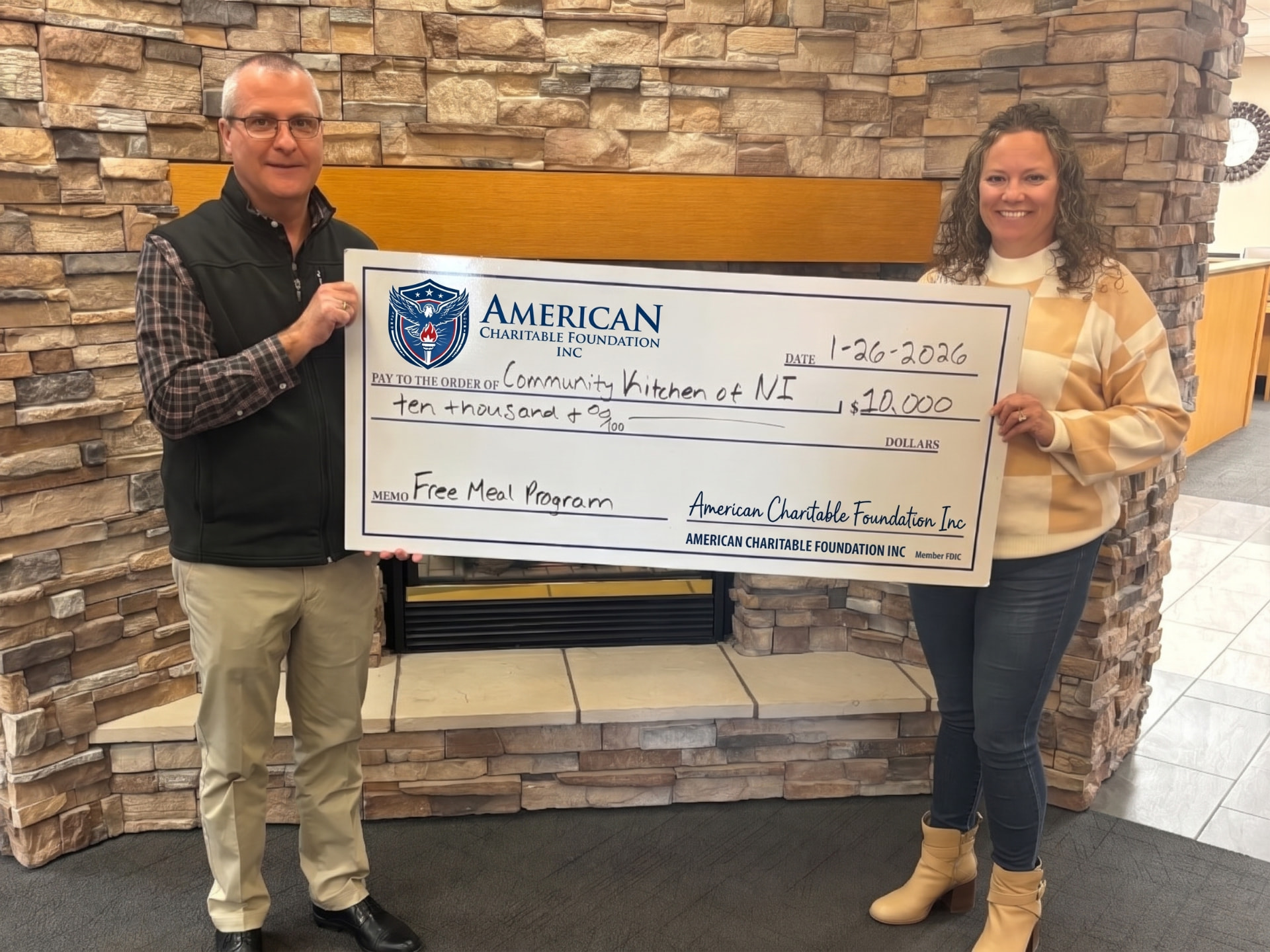
Two people holding an American Charitable Foundation check for $10,000 to Community Kitchen of NI for its Free Meal Program, dated January 26, 2026
American Charitable Foundation seal

Application guidance

Select any topic below to read the full instructions. The form follows directly after.

01What you will need
  • Your organization's legal name and Tax ID number (EIN)
  • The organization's mailing address
  • The name and official email address of your authorized representative
  • An IRS document and a photo of the 501(c)(3) determination letter that your organization received from the IRS by mail
02Required documents

Your application must include the two documents described below. Upload each document in its designated area of the form. Each file must be a PDF, JPG, or PNG, up to 10 MB per file. Optionally, you may attach a third document, such as a payslip or a bank statement issued within the last 3 months.

03Required document 1: IRS Document

A copy of any document received from the IRS in the mail that lists:

  • “IRS” and “Department of Treasury” in the header
  • Your organization's name
  • Your organization's Employer Identification Number (EIN)

An example of this type of document would be an affirmation letter or update confirmations, such as a name change has been processed.

04Required document 2: Photo of Your Determination Letter

A photo of the 501(c)(3) determination letter that your organization received from the IRS by mail.

If you do not have a copy of your determination letter you may request an affirmation letter from the IRS by calling the IRS at 877-829-5500.

05Tips for a smooth application
  • Use the legal name exactly as it appears on your IRS documents
  • Make sure photos of documents are sharp and readable
  • Use an official organization email, not a personal one
  • Complete the certification at the end — the form cannot be sent without it
  • Review your details and attachments before choosing Submit application
06Finding and preparing your documents

Look in your organization’s IRS correspondence for a document that shows ‘IRS’ and ‘Department of Treasury’ in the header, your organization’s name, and EIN. If a document is missing, contact the issuing authority through its official channels; do not substitute a screenshot of a public directory listing.

Photograph the entire determination letter in good light. Keep all four corners visible and check that the text is in focus. If you do not have a copy of your determination letter, you may request an affirmation letter from the IRS by calling 877-829-5500. For multi-page government documents, combine the pages into one PDF so they can be uploaded together.

The third attachment is optional: a payslip or bank statement issued within the last 3 months. You can submit the application without this additional document.

07What happens after you apply
  • Step 1 — Received: you see a reference number on screen and receive a confirmation email
  • Step 2 — Under review: ACF reviews your application and documents, typically within 7 to 30 days
  • Step 3 — We contact you: ACF writes to your representative at the email address provided
  • If approved: support is sent only by bank check, payable to the organization, mailed to its address

Submitting an application does not guarantee funding.

Quick eligibility check

Answer these four questions before you start. They help you see whether your organization is ready to apply.

  1. 1.Is your organization a registered nonprofit (for example, a 501(c)(3))?
  2. 2.Does your organization have a Tax ID number (EIN)?
  3. 3.Can you provide both the required IRS document and a photo of your 501(c)(3) determination letter?
  4. 4.Will the funds be used for charitable work that serves your community?

American Charitable Foundation

Application for Financial Grant

To be completed by the authorized representative of the applicant organization.

Form ACF-GA-1

EIN 36-3822910

Before you begin

  • Have your organization's EIN (Tax ID) at hand.
  • Prepare a PDF or clear photo of an IRS document showing the IRS and Department of Treasury header, your organization’s name, and EIN.
  • Prepare a photo of the 501(c)(3) determination letter that your organization received from the IRS by mail.
  • Allow about 10 minutes. Fields marked * are required.
  • Have your organization's telephone number ready.
Part I

Organization information

Enter the full legal name exactly as it appears on your IRS documents.

Enter the organization's 9-digit EIN exactly as it appears on your IRS documents, for example 12-3456789. The hyphen appears automatically after the first two digits. Each EIN can be used for one application only.

3Organization address

The organization's registered street address, for example the building and street number.

Optional. Apartment, suite, unit, or building information, if any.

The city of the organization's registered address.

Select the state of the organization's registered address.

The ZIP code of the organization's registered address.

Part II

Authorized representative

The person authorized to act for the organization in this application.

Use an official organization address. Your confirmation will be sent here.

A telephone number in U.S. format, for example (555) 123-4567. ACF may use this number to contact your representative about this application.

The role you hold in your organization. Choose the option that describes you best.

Part III

Supporting documentation

Upload each document in its designated area below. The first two are required; the third is optional. PDF, JPG, or PNG, up to 10 MB.

8

IRS Document

A copy of any document received from the IRS in the mail that lists “IRS” and “Department of Treasury” in the header, your organization’s name, and your organization’s Employer Identification Number (EIN).

View document examples

Example: an IRS EIN notice. Look for the IRS / Department of the Treasury header, your organization’s name, and your EIN. This notice confirms an EIN; it does not replace the separate 501(c)(3) determination letter.

These samples illustrate the document format only. Submit your organization’s own readable documents, not these samples. Information is masked in the examples for illustration; your organization’s name and EIN must be readable on your IRS documents.

Sample IRS EIN notice with organization details masked
IRS Document — sample
Preparing a readable document

Include the whole document and all four corners. Use even lighting without glare or shadows. Check that names, dates, and document numbers are readable before attaching the file.

9

Photo of Your Determination Letter

A photo of the 501(c)(3) determination letter that your organization received from the IRS by mail.

If you do not have a copy of your determination letter you may request an affirmation letter from the IRS by following these instructions or calling the IRS at 877-829-5500.

View document examples

This sample IRS letter confirms tax-exempt status under section 501(c)(3) and refers to a previously issued determination letter. For this required upload, photograph your organization’s determination letter in full, with the IRS header, organization’s name, EIN, and exemption wording clearly readable.

These samples illustrate the document format only. Submit your organization’s own readable documents, not these samples. Information is masked in the examples for illustration; your organization’s name and EIN must be readable on your IRS documents.

Sample IRS Letter 4168C confirming section 501(c)(3) tax-exempt status, with identifying details masked
IRS tax-exempt status confirmation — sample
Preparing a readable document

Include the whole document and all four corners. Use even lighting without glare or shadows. Check that names, dates, and document numbers are readable before attaching the file.

10

Additional document (optional)

Optional supporting evidence, for example a payslip issued within the last 3 months or a bank statement issued within the last 3 months.

View document examples

Example: a bank statement showing the institution, statement period, and organization’s name. If you include a bank statement or payslip, use one issued within the last 3 months. This upload remains optional.

These samples illustrate the document format only. Submit your organization’s own readable documents, not these samples. Information is masked in the examples for illustration; your organization’s name and EIN must be readable on your IRS documents.

Sample bank statement with identifying details masked and a sample document watermark
Additional document (optional) — bank statement sample
Preparing a readable document

Include the whole document and all four corners. Use even lighting without glare or shadows. Check that names, dates, and document numbers are readable before attaching the file.

Part IV

Certification and submission

Need help? Write to info@aqca.org

Applicant safety and financial support

ACF does not ask applicants for passwords, money, application fees, processing fees, gift cards, or any other payment to apply for or receive financial support. Only the organization information and supporting documents described in this application are requested.

If financial support is approved, it is provided only by a bank check made payable to the organization and mailed to the organization’s address. No payment from the applicant is required to release funds. Submitting an application does not guarantee financial support.

If anyone using ACF’s name asks for a password or payment, do not comply. Contact ACF directly at info@aqca.org.